
If you just got a notice that your student loans are moving to a new servicer, you are not alone. These transfers happen when the Department of Education (or your private lender) changes contracts, merges systems, or sells a portfolio.
The good news is your interest rate and core loan terms typically should not change just because your servicer does. What can change is where you log in, where you send payments, and the timing of billing and autopay. That is where delinquency, additional interest, or a credit reporting headache can sneak in.

Here is the exact checklist I would use to keep your payments on track and protect yourself from errors and scams.
Your 15-minute transfer checklist
If you do nothing else, do these steps. They prevent most of the issues I see during servicer changes.
- Confirm the transfer notice is real (do not click random links).
- Create your new servicer online account and confirm your contact info.
- Verify loan balance, interest rate, and repayment plan details match your records.
- Check your next due date and whether you are in a grace period, deferment, or forbearance.
- Re-enroll in autopay (assume it did not transfer).
- If you use your bank’s bill pay, update the payee details (the old payee may no longer work).
- Make at least one manual payment if you are close to the due date.
- Download and save proof of your current balance and payment history from the old servicer (ideally before the transfer date).
- Confirm IDR recertification date and SAVE or other plan status if applicable.
- If pursuing PSLF, verify employer certification status and qualifying payment counts.
- Set calendar reminders for the next two due dates and autopay start date.
Step 1: Verify the notice is legit
Transfers are a favorite moment for scammers because borrowers are already expecting change. Before you share personal info, confirm the message is real.
How to verify in under 2 minutes
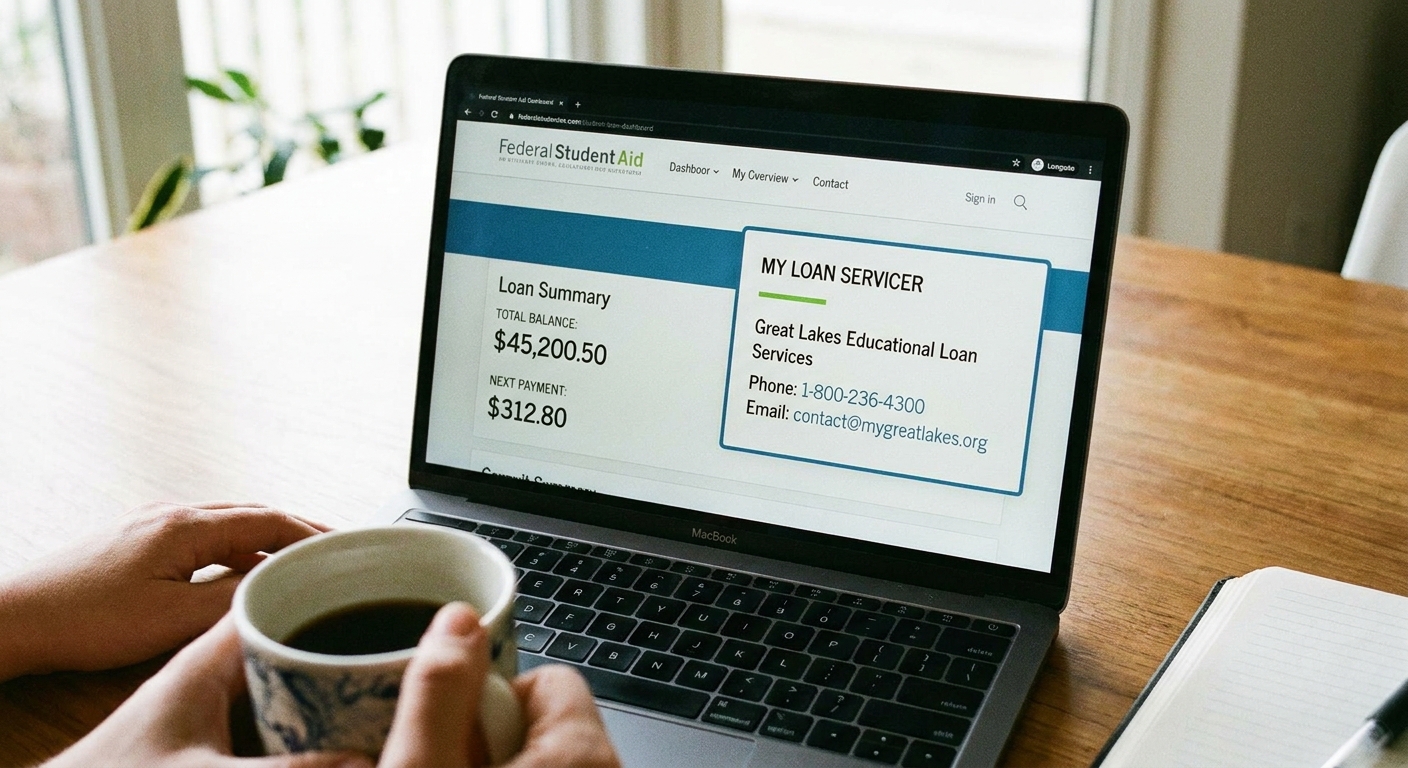
- Federal student loans: Log in to StudentAid.gov directly (type it in, do not use an email link). Your dashboard lists your current servicer(s) and contact details.
- Private student loans: Call your lender using the phone number on your last statement or the lender website you already trust.
Red flags: urgent threats of arrest, demands for gift cards or crypto, requests for your FSA ID password, or anyone claiming they can “unlock” forgiveness for a fee.
Step 2: Get access to the new account
A common trigger for missed payments is simple: borrowers cannot log in, cannot see a bill, and assume autopay will handle it. It might not.
What to do right away
- Create your new servicer login as soon as you receive the welcome email or letter.
- Confirm your mailing address, email, and phone number.
- Opt into paperless billing only after you confirm emails from the servicer are reaching you.
If you have multiple loans, confirm they are all showing up. It is common for a loan to “arrive” a few days later than the others.
Step 3: Confirm your core details
During a transfer, the data should move cleanly. Still, I always verify the basics because even small errors can cause wrong payments and misapplied interest.
Match these items line by line
- Original principal and current balance
- Interest rate and whether it is fixed or variable
- Repayment plan name (Standard, Graduated, Extended, IDR plan name)
- Next due date and monthly payment amount
- Any unpaid interest (especially if you recently left school or a forbearance)
Pro tip: Interest typically accrues as normal during a transfer unless your account is placed into a documented forbearance or other no-payment status. Do not assume the switch pauses interest.
Pro tip: If you do not have your old statements handy, download them now. Old portals sometimes shut off access after a short window.
Step 4: Assume autopay did not transfer
Even when servicers say autopay will carry over, I have seen enough “oops” moments to play it safe. A single missed draft can mean delinquency, a lost interest rate discount, or extra stress.
Autopay reset plan
- Log in to the new servicer and enroll in autopay using your bank account details.
- Confirm the withdrawal date in writing on your autopay confirmation screen or email.
- Set a calendar reminder 3 days before the first scheduled withdrawal to verify funds are available.
- Check if you receive an interest rate discount for autopay and confirm it is applied.
If your due date is within the next 7 to 10 days, consider making a one-time manual payment as a bridge. Autopay setup can take time to activate depending on the servicer, so rely on the confirmation date, not assumptions.

Step 5: Confirm due date and status
Transfers may create temporary administrative forbearances or shift your due date. Sometimes that is helpful. Sometimes it causes confusion.
What to look for
- Next payment due: Verify the exact date, not just the month.
- Past due flags: If you see “past due” right after transfer, contact the new servicer immediately and ask for a written explanation.
- Forbearance or deferment: Confirm whether you were placed into a temporary forbearance during the transfer, and when it ends. Ask for it in writing in your account messages or a letter.
If your payment is due soon and you cannot access your account, call the new servicer and ask how to make a payment by phone or mail. Document who you spoke with and when.
Step 6: IDR plan check
If you are on an income-driven repayment plan, you have two big goals during a transfer: (1) keep your plan active and (2) keep your payment amount correct.
Check these IDR details
- Your current plan type (for example, SAVE if you are enrolled and it is available, or IBR, PAYE, or ICR depending on your eligibility)
- Your current monthly payment amount
- Your IDR recertification date
- Whether any processing is pending
Quick note on SAVE: The SAVE plan has faced ongoing legal challenges and administrative changes, so availability and rules can fluctuate. For the latest list of active IDR options and current guidance, check StudentAid.gov.
If your payment suddenly jumps, do not assume it is correct. Call and ask whether your IDR paperwork transferred properly, and request they review your account notes and documents.
Step 7: PSLF progress check
If you are pursuing Public Service Loan Forgiveness, transfers can feel extra stressful because you are tracking qualifying payments over years. The key is documentation.
What to verify
- That your loans are Direct Loans (PSLF requires Direct Loans)
- Your qualifying payment count (save a screenshot or PDF)
- Your employer certification history and any pending forms
If something looks off, save what you see and contact your servicer. If needed, you can also reference your federal student aid account for supporting info.
Step 8: Build a transfer folder
This is the part most people skip until there is a problem. A simple folder can save hours if a payment goes missing.
What to download and store
- Welcome letter or email from the new servicer
- Final statement from the old servicer showing balance and last payment
- Payment history export or screenshots from the old servicer
- Autopay enrollment confirmation from the new servicer
- Any IDR approval letters and your recertification date
- Any PSLF-related confirmations or payment count snapshots
If you are still in the transition window: download the final statement and payment history from the old servicer before the transfer date if you can. Old portals frequently lock borrowers out as soon as the transfer initiates.
Store it somewhere you will remember, like a cloud folder named “Student Loans Transfer 2026” and a backup on your computer.

Step 9: Monitor for 60 days
The first one to two billing cycles is when most transfer glitches show up, so think of the next 60 days as your “trust, but verify” window.
- Bank withdrawals: Confirm autopay pulls on the date promised and in the amount expected.
- Duplicate drafts: Rare, but it happens when old autopay is not shut off cleanly.
- Credit reporting: If a payment is incorrectly marked late, dispute it quickly and provide your proof. (A 1 to 2 day posting delay is annoying but usually not the same as being reported delinquent, which more commonly follows longer nonpayment windows.)
If you see an error, contact the servicer first and keep notes. If the issue is credit reporting related, pull your reports and follow the dispute process with documentation.
If your payment is due and things look wrong
This is the stressful scenario, so here is the calm plan.
Do this in order
- Call the new servicer and ask for a payment option that posts quickly.
- Make a manual payment if you can, even if autopay is supposed to start later.
- Ask for a fee waiver if the transfer prevented timely payment (more common with private loans and some fee policies). Be polite and specific.
- Document everything: date, time, representative name, confirmation number, and what you were told.
If you are dealing with federal loans and the servicer is not resolving a clear error, use the help resources on StudentAid.gov to escalate.
If you need a stronger nudge, you can also submit a complaint with the CFPB (especially helpful for private loans) or your state attorney general’s consumer protection office.
Quick FAQ
Will my interest rate or terms change?
Typically, no. A servicer change is mostly an administrative handoff. Your promissory note and core loan terms should stay the same, but your payment portal, payment address, due date timing, and billing communications can change.
Do I pay the old servicer?
Usually, no. Once the transfer is complete, payments should go to the new servicer. If you are in a transition window and your due date is close, call to confirm exactly where the payment should be sent.
How long does a transfer take?
It varies, but it is common for portals and data to take days or a couple of weeks to fully populate. That is why downloading your old records (ideally before the transfer date) and setting reminders is so important.
The bottom line
A servicer transfer does not have to derail your repayment plan. If you verify the transfer, rebuild autopay, confirm your due date and IDR details, and save your records, you can get through the switch without nasty surprises.
If you want the simplest mindset: assume nothing transferred perfectly, then confirm everything did.